
01
Save your own avatar
Keep a local copy of your own public profile picture.
View and download a publicly available Instagram profile picture. Paste a public profile link to get started.
Only download content you own or have permission to use. By continuing, you agree to our Terms of Service.
Works with public Instagram links. No Instagram login or app required.
Keep downloads for personal, offline viewing. Do not republish or monetize someone else's content without permission. Creators keep the copyright.
VideoDownloader is not affiliated with Instagram or Meta Platforms, Inc. Only publicly accessible Instagram content can be saved for personal, offline use.
Three steps to save a public profile picture.
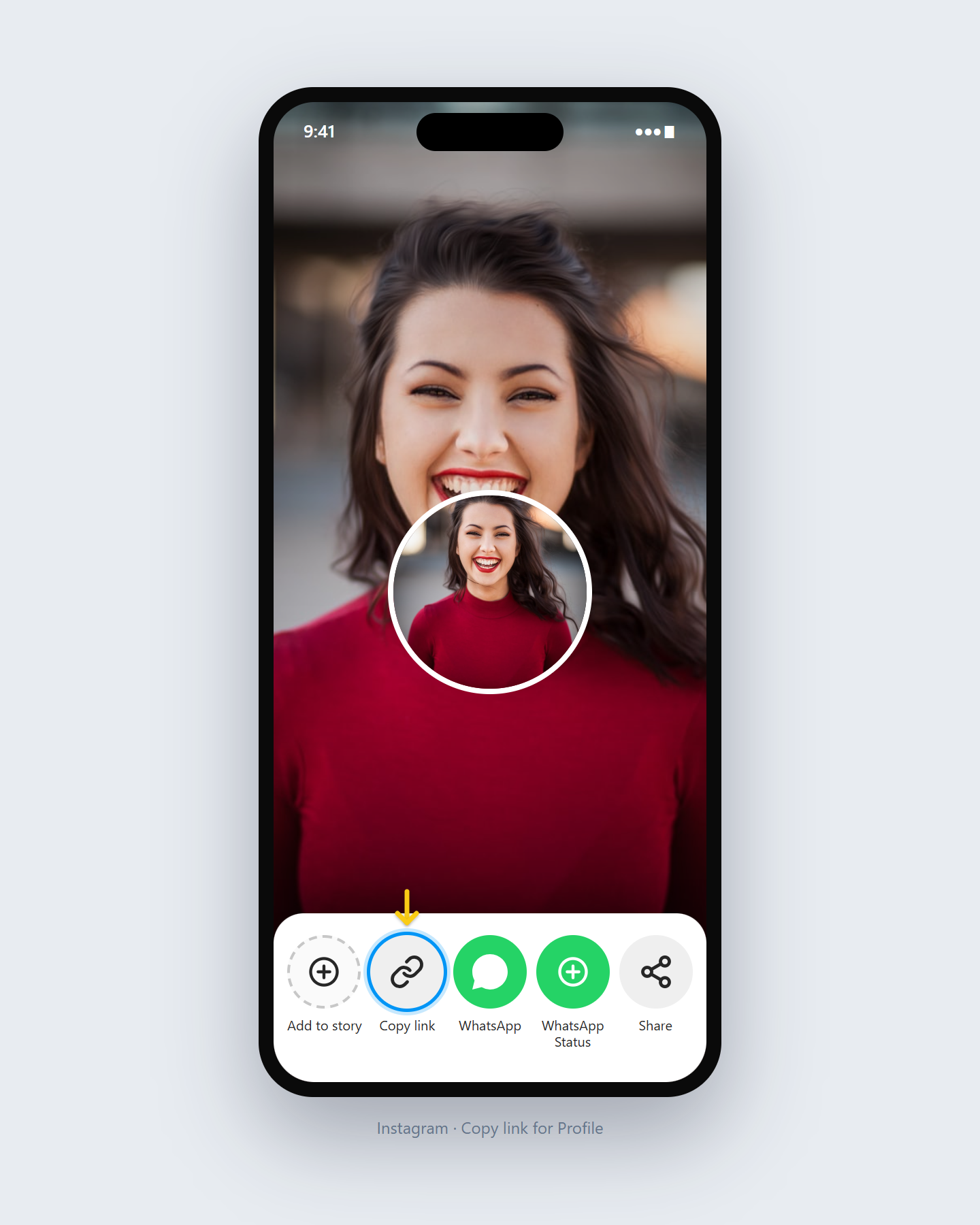
Copy the profile URL from Instagram (example: instagram.com/username).
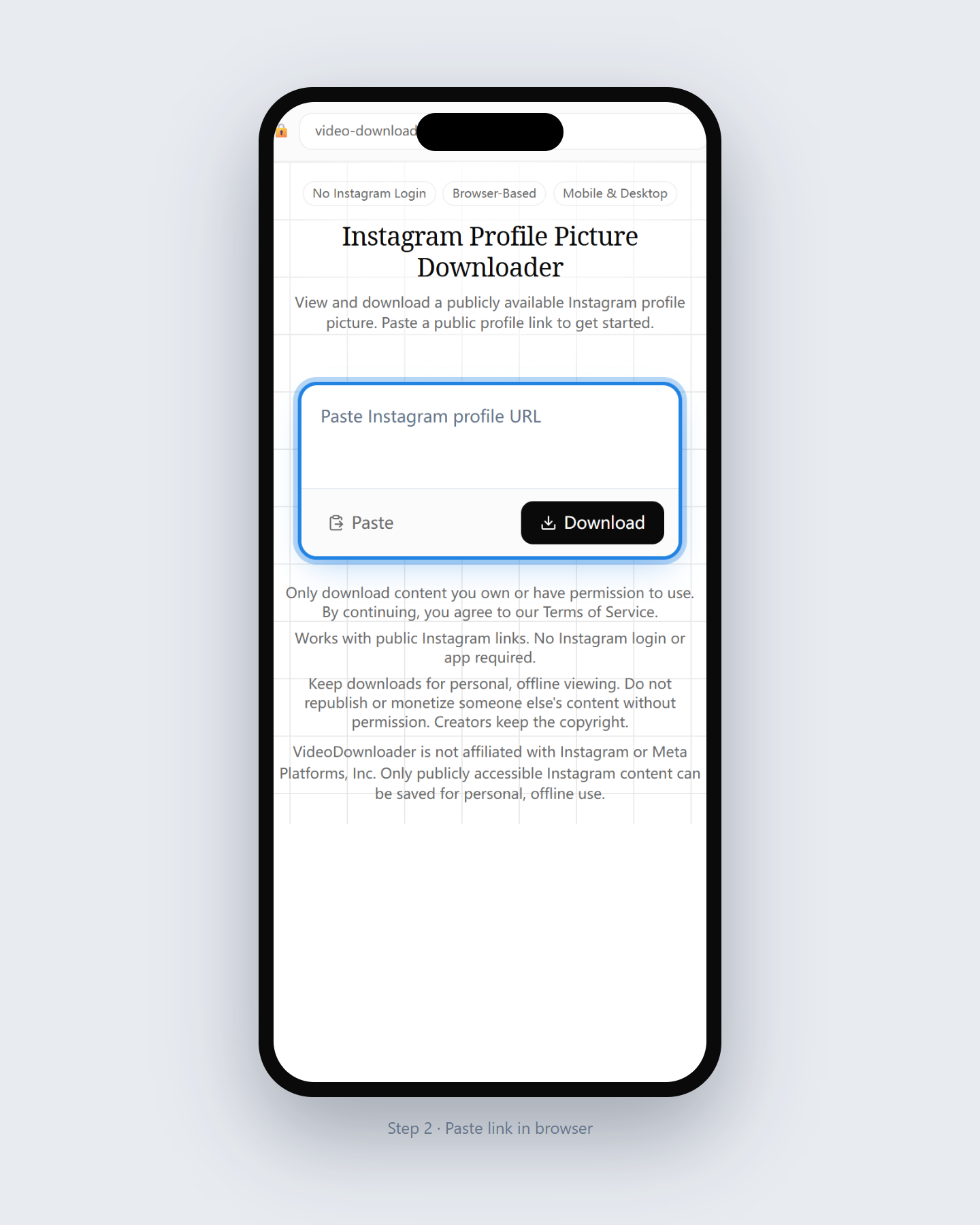
Paste the profile link here so we can fetch the public avatar image.
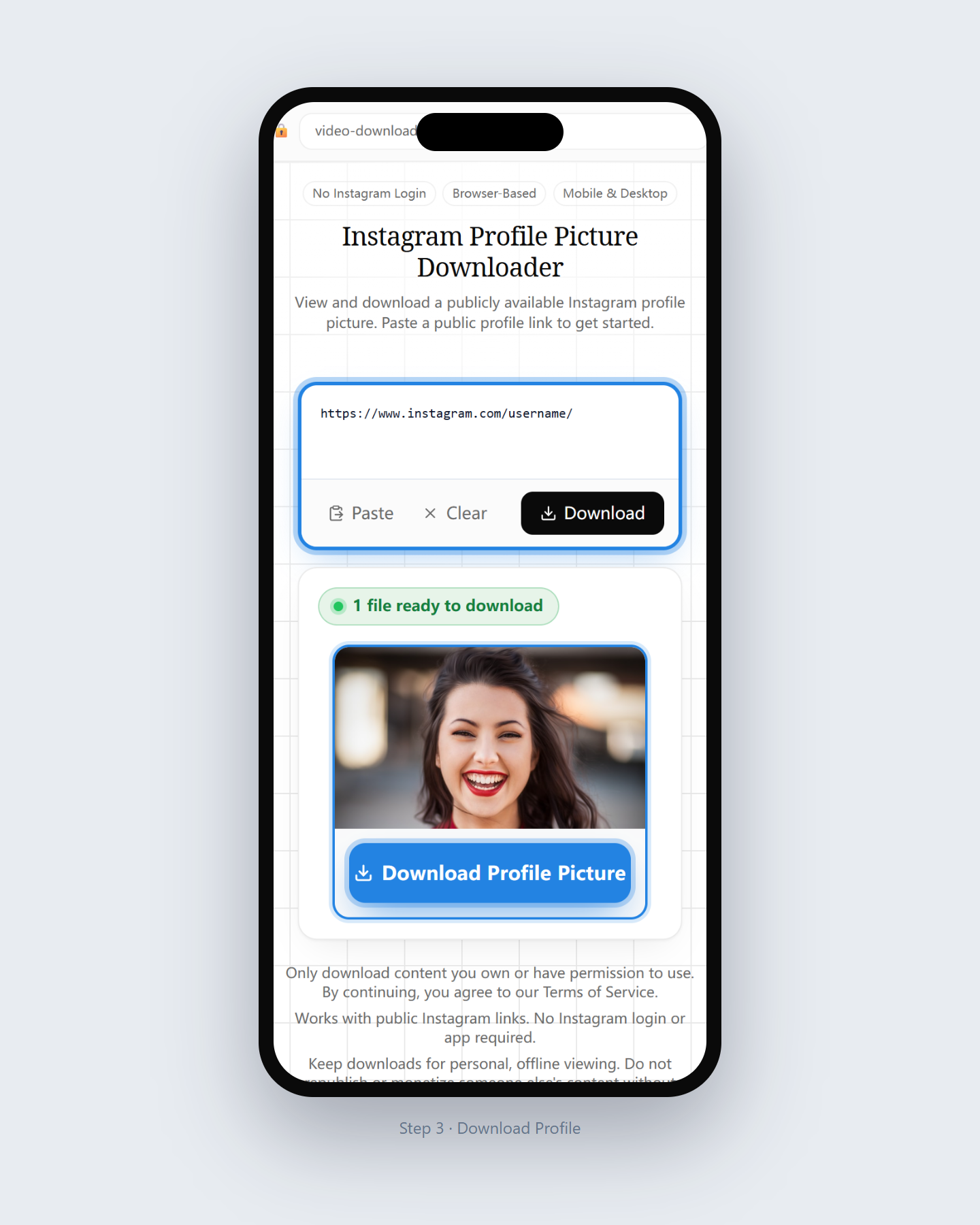
Save the available profile image to your device.
Quick full-size avatar saving for public profiles only.
Fetch the publicly available profile image size for that account.
We never ask for passwords or session tokens.
Download DPs from phone or desktop browsers.
This page is only for profile pictures — not posts or Reels.
Use responsibly and only for permitted personal use.
01
Keep a local copy of your own public profile picture.
02
Archive an official public brand avatar when you have permission.
03
Save a public avatar for personal contact lists when allowed.
What this profile picture tool supports.
Last updated: July 2026
A dedicated tool for public profile pictures.
An Instagram profile picture downloader retrieves the publicly available avatar for a public profile URL you paste in the browser.
It does not unlock private accounts. If a profile is private, the avatar cannot be fetched here.
Respect people’s images. Do not misuse or republish someone’s DP without permission.
Open another downloader for a different content type.
Questions about saving Instagram DP / avatar images.
Paste the public profile URL, click Download, and save the image file.
No. Private profile pictures are not accessible without login.
No. This browser tool is enough.
Yes for personal offline use of public avatars you are allowed to keep.
Usually JPG, matching what Instagram serves publicly.
Personal offline use may be fine locally, but do not misuse or republish without permission.
Paste a full public profile URL when possible for the most reliable result.
No. Use the Photo or Video tools for posts; this page is for profile pictures only.
Paste a public profile link and save the available profile picture.
Download Now