
01
Share a Reel outside Instagram
Save a public Reel you are allowed to share, then send the file via messenger or email.
Save publicly available Instagram Reels to your device. Paste a Reel link and choose an available download option.
Only download content you own or have permission to use. By continuing, you agree to our Terms of Service.
Works with public Instagram links. No Instagram login or app required.
Keep downloads for personal, offline viewing. Do not republish or monetize someone else's content without permission. Creators keep the copyright.
VideoDownloader is not affiliated with Instagram or Meta Platforms, Inc. Only publicly accessible Instagram content can be saved for personal, offline use.
For public Instagram video posts where you want no downloader branding added, use the Instagram Video Downloader Without Watermark. This Reels page focuses on Reel links.
Instagram Video Downloader Without WatermarkCopy a public Reel link, paste it here, then download the available video option.
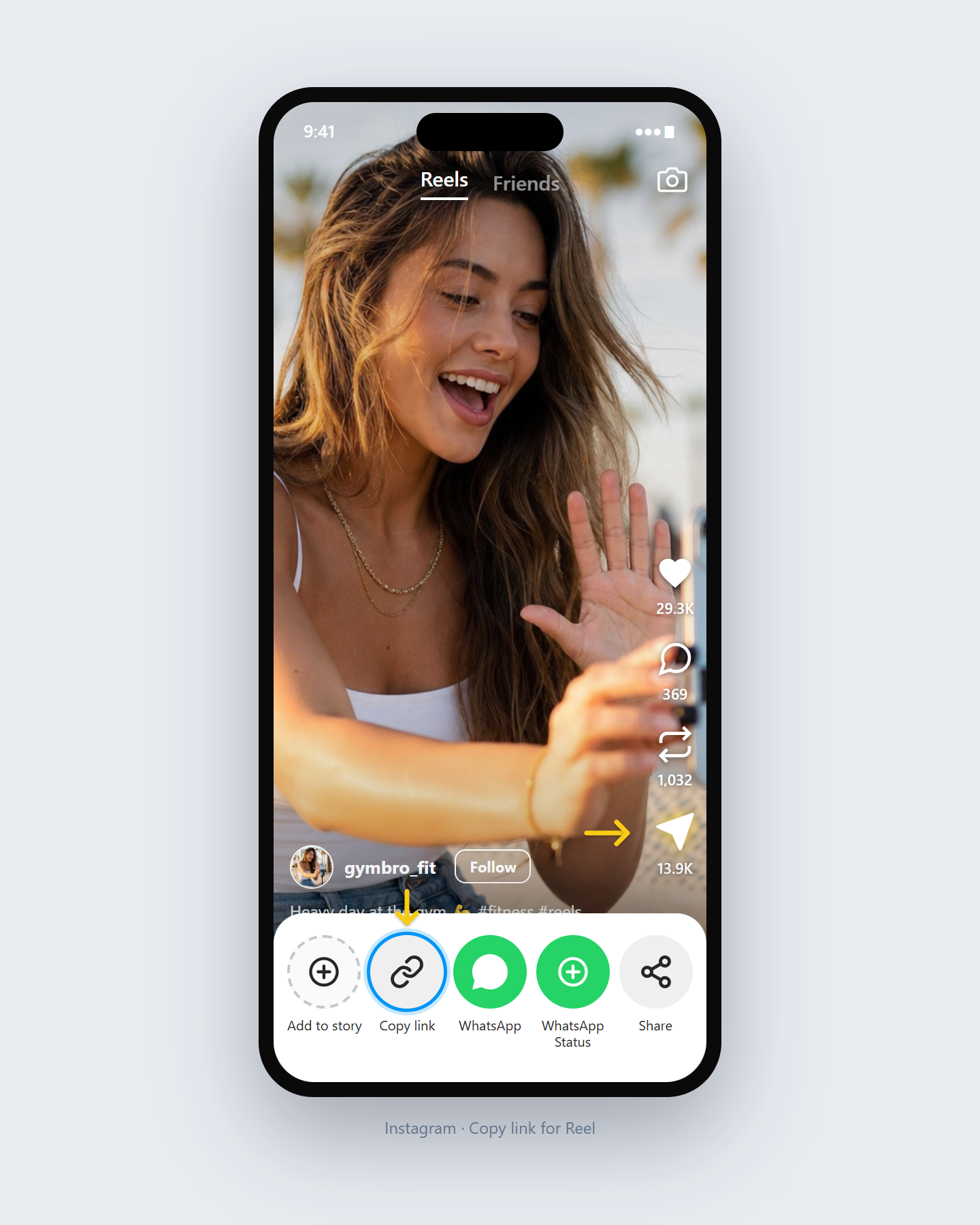
Open the Reel in Instagram and copy its share link from the app or website.
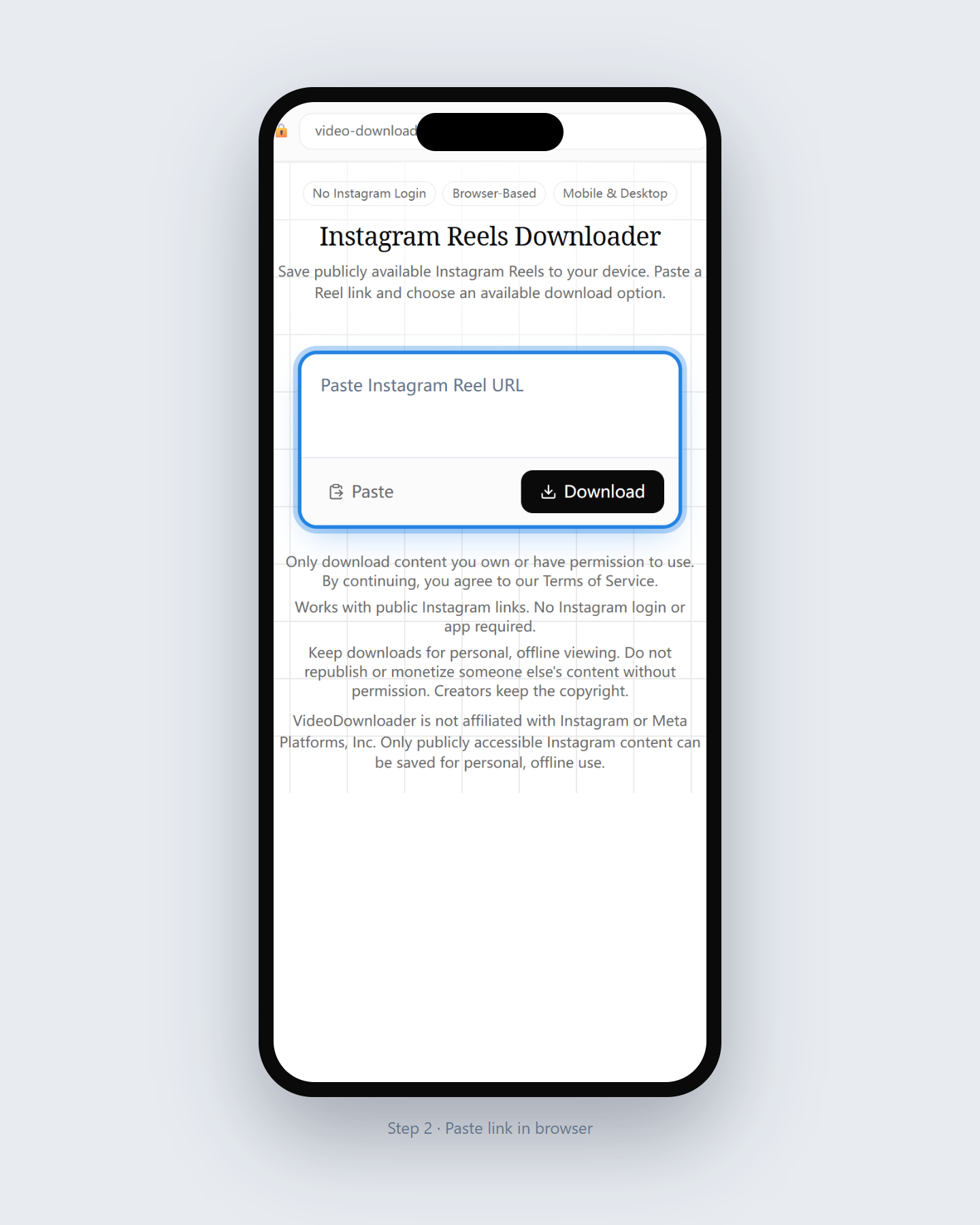
Return to this page and paste the complete Instagram Reel URL into the input field.
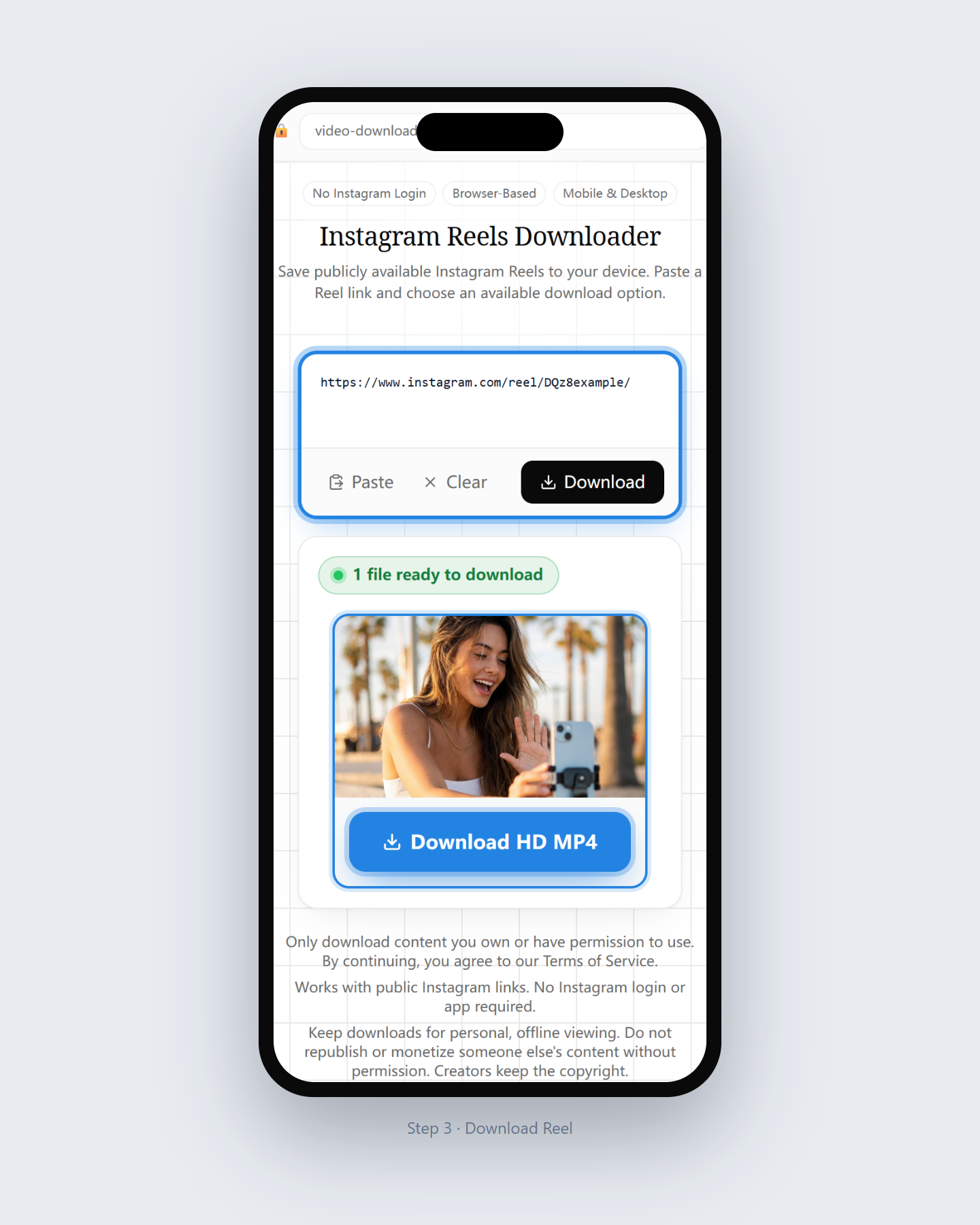
Wait for processing, review the available file options, then save the Reel to your device.
A focused Reels saver for public links — browser-based, no Instagram password.
Optimized for Instagram Reel URLs copied from the app or website share menu.
Only public Reels are supported. We never ask for your Instagram credentials.
No Reels app or extension to install — use Chrome, Safari, Firefox, or Edge.
See the media options detected for that Reel before you save a file.
Use this tool for Reels you own or have permission to save.
01
Save a public Reel you are allowed to share, then send the file via messenger or email.
02
Download permitted how-to Reels for personal offline reference when you have rights to keep them.
03
Keep a local copy of Reels you published on your own public Instagram account.
Available items depend on what Instagram exposes for that public link.
The publicly available video stream for that Reel, typically as an MP4 when detected.
When Instagram provides a thumbnail, it may appear as a separate download option.
Some Reels expose an audio track you can also save with the Audio Downloader.
Same three steps on phone, tablet, or computer.
Paste the Reel URL in your desktop browser and save the file to Downloads.
Use Safari, paste the link, download, then move from Files to Photos if needed.
Paste in Chrome or another browser; files usually appear in Downloads or Gallery.
What this page is designed to handle.
Last updated: July 2026
A dedicated page for saving public Reels — not a general video page.
An Instagram Reels downloader retrieves publicly available Reel media from a share link you paste in the browser. It is meant for Reels you own or have permission to keep offline.
Unlike a generic Instagram video page, this tool focuses on Reel URLs and the download options those links typically expose. Private or close-friends Reels cannot be fetched without login, which we never request.
Use the result list to pick the file you need, then save it locally. For photos, Stories, profile pictures, or audio-only saves, open the matching tool from the catalog below.
Open another downloader for a different content type.
Common questions about saving public Reels.
Yes. Paste a public Reel link in your browser and choose an available download option — no app install required.
No. This Reels downloader only works with publicly accessible links and never asks for your password.
Quality depends on the media options Instagram exposes for that Reel. We show the options detected for your link.
No. Private and close-friends content is not publicly accessible and cannot be processed here.
Files often land in the Files app first. Tap and hold the video, then choose Save to Photos if you want it in your camera roll.
Yes for personal use of permitted public content. Always respect creator rights and Instagram’s terms.
We do not add our own branding overlay. The file reflects what is publicly available for that link.
Use the Instagram Audio Downloader with the same public Reel link when an audio option is available.
For public Instagram video posts where you want no downloader branding added, open the Instagram Video Downloader Without Watermark page from the Instagram Downloader menu. This Reels page focuses on Reel links.
Paste a Reel link above and download an available file option to your device.
Download Now