Fast and Simple
Paste a TikTok video link and process it in just a few steps.
 VideoDownloader
Download TikTok videos online from a public video link. Paste the TikTok URL below to save the available video directly to your phone, tablet, or computer.
Example: https://www.tiktok.com/@username/video/123456789
By using this tool, you agree to download only content you own or are authorized to use.
Video Downloader is not affiliated with TikTok or ByteDance. Only publicly accessible TikTok videos can be saved for personal, offline use.
Our online TikTok video downloader lets you save publicly available TikTok videos using only the video link. There is no software to install and no account to create. Open TikTok, copy the video URL, paste it above, and download the available video through your browser.
Paste a TikTok video link and process it in just a few steps.
Use the downloader directly in your browser without installing additional software.
Download TikTok videos on iPhone, Android, Windows, Mac, and other devices with a modern browser.
Use a public TikTok video URL copied from the TikTok app or website.
You only need a public TikTok video link. Follow these three steps to download the available video through your browser.
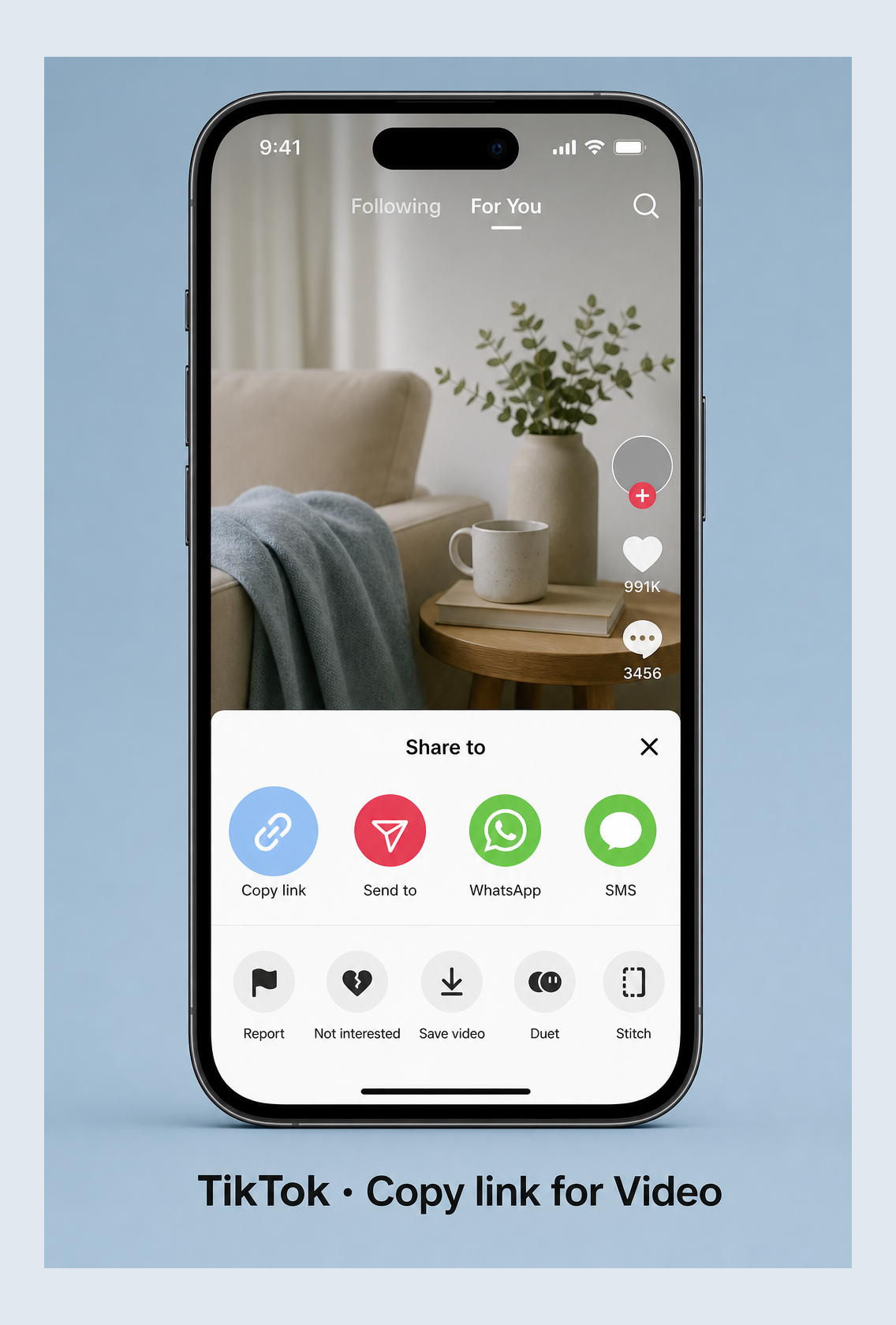
Open TikTok and find the video you want to save. Tap Share, then select Copy link.
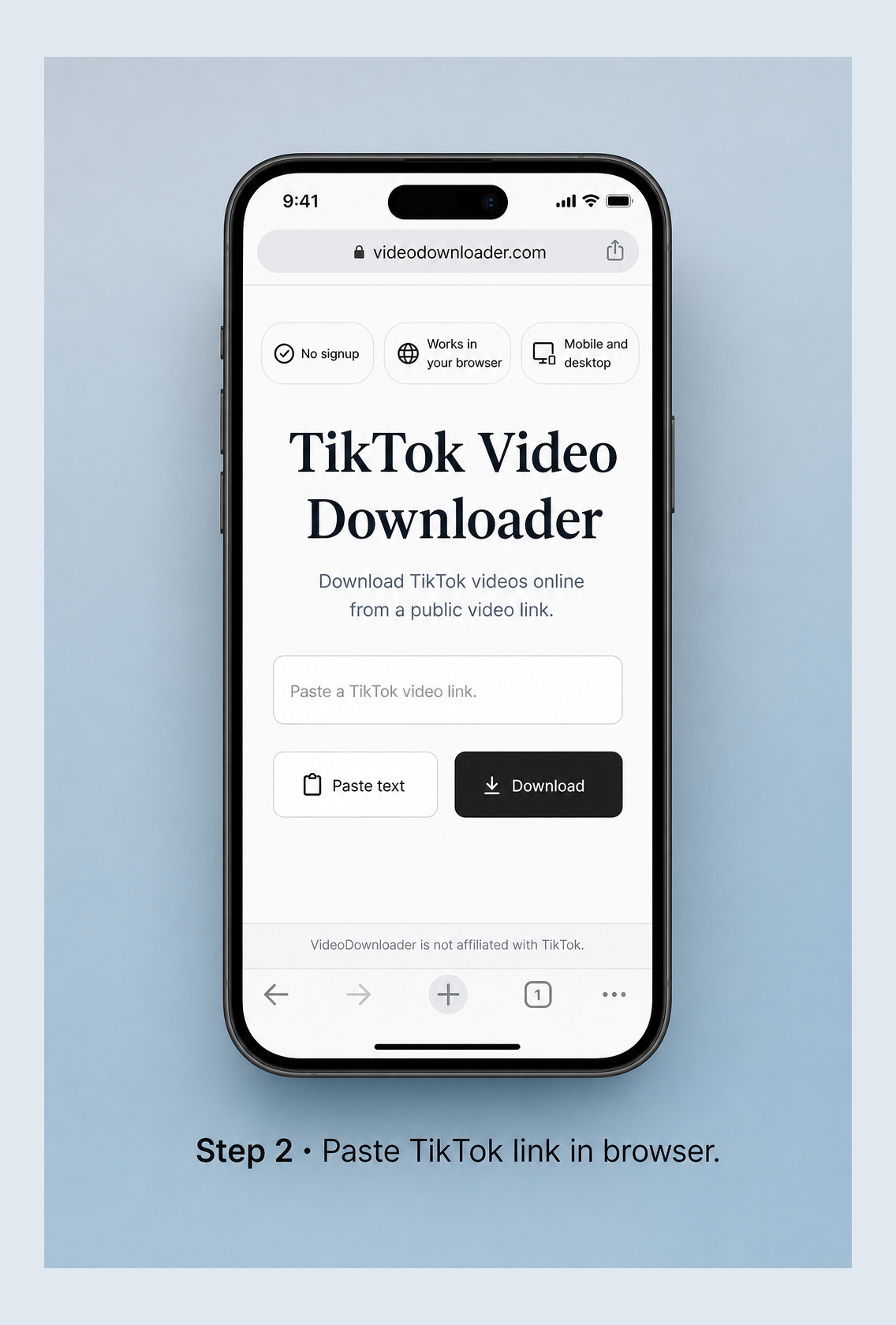
Return to this page and paste the copied TikTok URL into the download field.
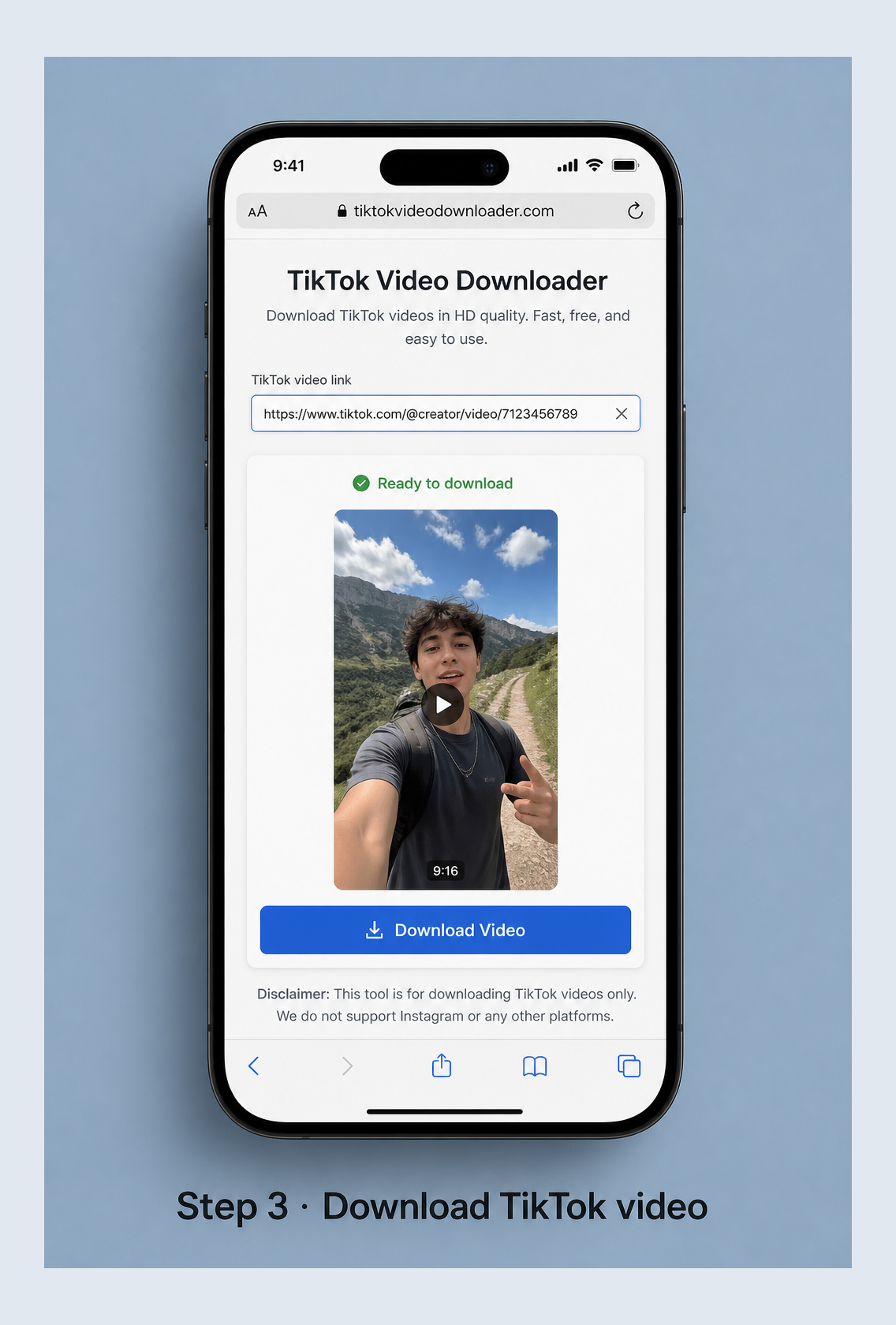
Select an available download option and save the video to your device.
The downloader is designed for publicly accessible TikTok video links. It may support full TikTok URLs and shortened links copied from the TikTok app, depending on the availability of the original post.
Copy the TikTok video link from the app, open this page in Safari or another browser, paste the URL, and download the available file. Depending on your iOS and browser settings, the file may appear in the Downloads folder in the Files app.
Copy the video link in TikTok, paste it into the downloader, and save the file. Downloads are usually stored in your browser’s download folder or your device’s Downloads directory.
Open TikTok in a browser or copy a link from another device. Paste the URL into the downloader and save the video through Chrome, Edge, Safari, Firefox, or another supported browser.
Use the tool from your browser without installing an app, extension, or desktop program.
You do not need to sign in to TikTok through our website.
Copy a public TikTok video URL, paste it into the downloader, and select an available option.
The downloader works through modern browsers on phones, tablets, and computers.
A downloaded copy can be useful when you own the content or have permission to save it. Common examples include:
Only download videos you own or have permission to save. Downloading a video does not transfer copyright or give you permission to repost, edit, sell, or use it commercially. Respect the original creator’s rights, TikTok’s terms, and the laws that apply in your location.
Answers about downloading public TikTok videos online.
A TikTok video downloader is an online tool that processes a public TikTok video link and provides an available video file that you can save to your device.
Open the video in TikTok, tap Share, choose Copy link, paste the URL into the downloader, and select an available download option.
No. You can use the downloader directly in a supported web browser without installing an app or browser extension.
You do not need to sign in to TikTok through this website. However, the video must be publicly accessible from the link you provide.
Yes. The downloader can be used through a modern browser on iPhone, iPad, Android, Windows, Mac, and other supported devices.
The file is normally saved to the download location selected by your browser. On mobile devices, check the Files app, Downloads folder, or your browser’s download history.
The link may be incorrect, expired, private, deleted, region-restricted, or temporarily unavailable. Confirm that the video is public and try copying the link again.
No. This downloader is intended for publicly accessible TikTok videos and does not bypass privacy settings or account permissions.
Paste a public TikTok video link above and download an available file option to your device.
Download Now