Windows & Mac
Paste the post URL in any modern desktop browser and save to Downloads.
 VideoDownloader
Download videos from supported public Instagram posts online for free. Paste the post link, review the available file options, and save a video to your device—no Instagram login or app installation required.
Only download content you own or have permission to use. By continuing, you agree to our Terms of Service.
Works with public Instagram links. No Instagram login or app required.
Keep downloads for personal, offline viewing. Do not republish or monetize someone else's content without permission. Creators keep the copyright.
Video Downloader is not affiliated with Instagram or Meta Platforms, Inc. Only publicly accessible Instagram content can be saved for personal, offline use.
Use the Instagram Video Downloader Without Watermark page to save supported public videos without Video Downloader adding its own logo, text, or branding overlay. Existing elements in the original video are not removed.
Instagram Video Downloader Without WatermarkUse this browser-based Instagram video downloader to save available public videos without a subscription, Instagram login, or app installation.
Download available public Instagram videos for free. No subscription, payment, or hidden download fee is required.
Everything works directly in your browser. Copy a public Instagram video link, paste it above, and download an available file online.
Download supported public Instagram videos without signing in or sharing your Instagram username and password.
There is no need to install an Instagram video downloader app, APK, desktop program, or browser extension.
Three steps to save a public Instagram video post without installing an app.
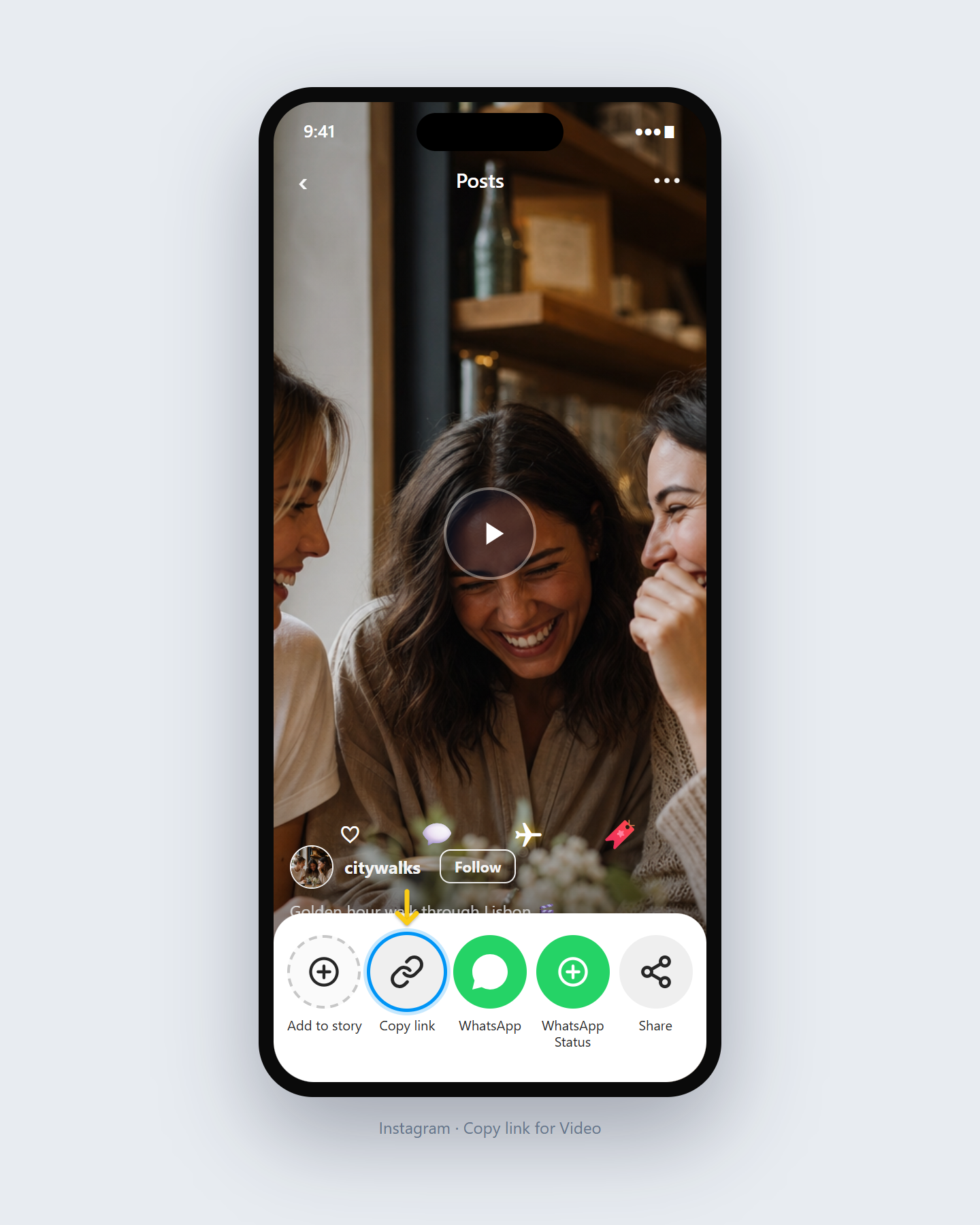
Open the Instagram video post, tap Share, then Copy Link.
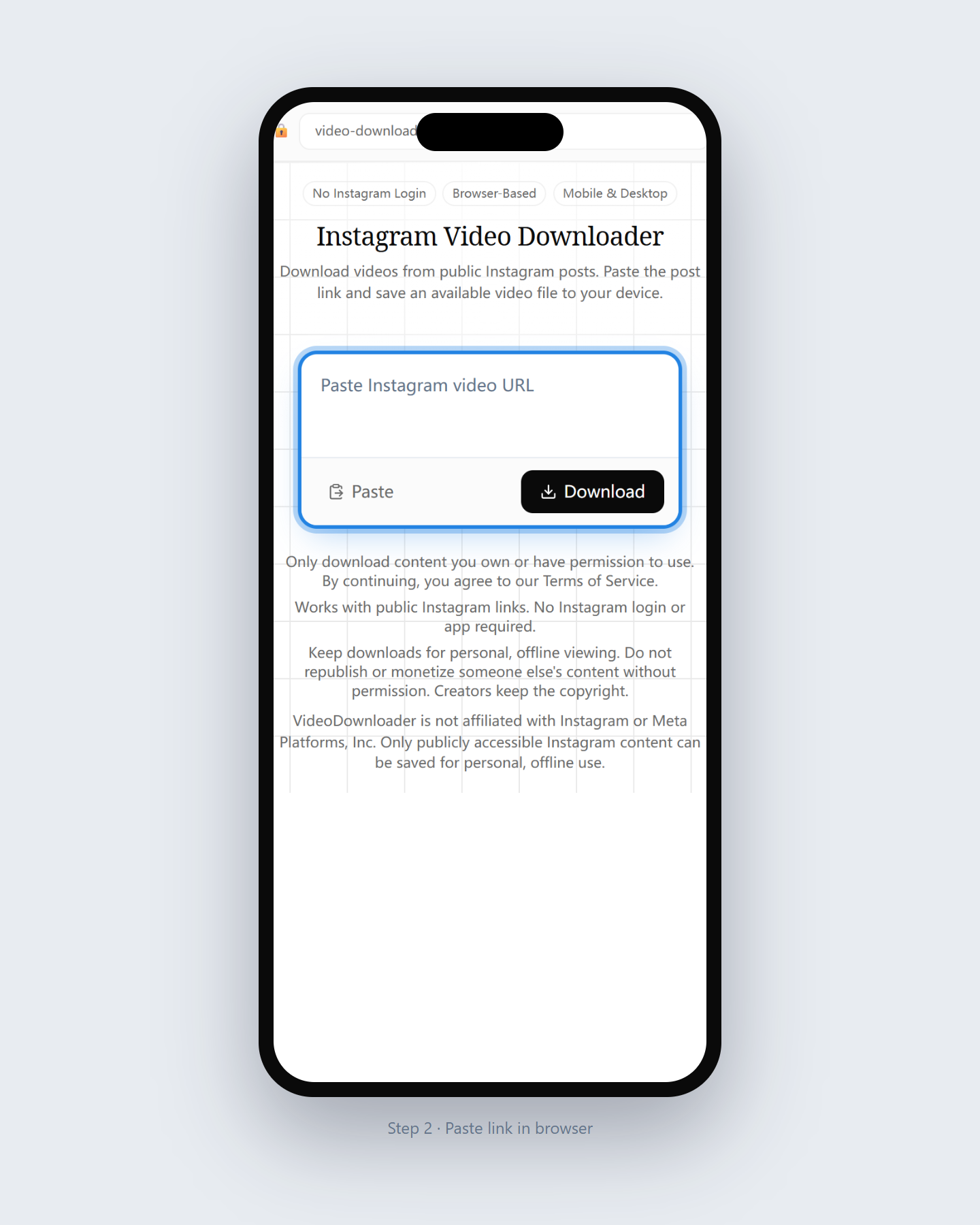
Paste the complete Instagram video URL into the box on this page.
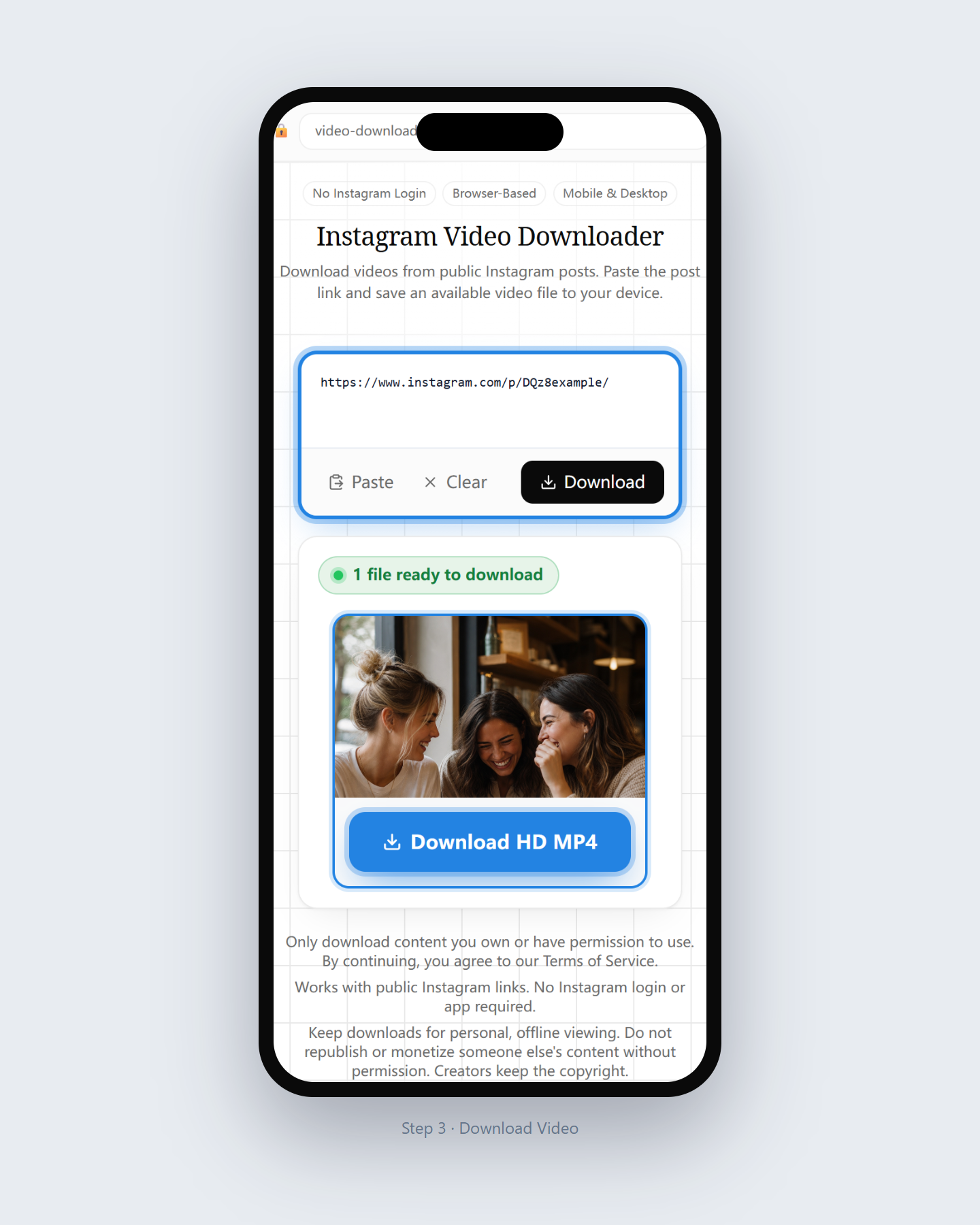
Review detected video options and download the file to Downloads or your gallery.
Instagram videos are commonly available as MP4 files. Paste a supported public Instagram post link, review the detected download options, and save the available video format to your device. The exact file format and quality depend on the media options available for that post. Video Downloader does not convert a low-resolution source into HD, 1080p, or 4K.
Learn more in our Instagram video MP4 format guide. For device steps, see save videos to Camera Roll on iPhone or download Instagram videos on PC.
You do not need to log in to Instagram or create an account on Video Downloader. Paste a publicly accessible Instagram video link into the tool and choose an available download option. Private videos, close-friends posts, and restricted content are not supported.
Available quality depends on the video options exposed for the public Instagram post. The downloader shows the detected files without artificially upscaling the source video or promising a specific resolution.
If you are looking for a free Instagram video downloader application, an online downloader can provide the same basic copy-and-paste workflow without installing another app.
| Feature | Online Downloader | Downloader App |
|---|---|---|
| Installation | Not required | Usually required |
| Instagram login | Not required for public links | Some apps may request login |
| Supported devices | iPhone, Android, Windows, Mac | Depends on the operating system |
| Storage space | No installation storage | Uses device storage |
| Updates | Updated on the website | App updates may be required |
| Basic workflow | Copy, paste, download | Install, then copy and paste |
Want a closer comparison? Read our guide to Instagram video downloader apps versus online tools. Prefer not to install a browser add-on? See extensions versus our online downloader.
Options depend on the public media Instagram exposes.
The publicly available video stream for that post when detected.
If a post includes more than one media item and they are public, each may appear as a download choice.
A preview helps you confirm you selected the correct post.
Browser-based steps for PC, iPhone, and Android.
Paste the post URL in any modern desktop browser and save to Downloads.
Use Safari, download the file, then move it from Files to Photos if needed.
Use Chrome or another browser; check Downloads or the browser download list.
Focused on public Instagram post videos.
An Instagram video downloader helps you save publicly available videos from Instagram posts by pasting a share link into a browser tool — free online, without Instagram login.
This page is for standard video posts. For short-form Reels, open the Reels Downloader; for downloads without added downloader branding, open the Without Watermark page.
Only download videos you own or have permission to keep. Copyright remains with the original creator.
Scope of this Instagram video tool.
Last updated: August 2026
Open another downloader for a different content type.
Questions about saving public Instagram videos.
Yes. The downloader works with publicly accessible Instagram video links and does not require your Instagram username or password. Private and restricted videos cannot be processed.
No. Download quality depends on the files available for the public Instagram post. The tool does not upscale a source video or guarantee a specific resolution.
No. Video Downloader works online in a supported browser on iPhone, Android, Windows, Mac, and tablets, so no app or APK installation is required.
Yes. Paste the link to a supported public Instagram video post and choose an available download option. No subscription, Instagram login, or app installation is required.
Video Downloader does not add its own branding overlay to the downloaded file. For more details, use the Instagram Video Downloader Without Watermark page.
Copy the public post link, paste it into this page, and choose an available video download option in your browser.
No. Only publicly accessible Instagram videos are supported.
Instagram videos are often available as MP4 files. The exact format and quality depend on the media options detected for the public post.
Yes. Use this page for standard video posts; use the Reels page for Reel links.
No. Paste the public Instagram video URL directly into this online tool. See our extension vs. online guide if you are comparing options.
Only save content you own or have permission to keep. Do not redistribute without rights.
Usually in Downloads or your browser download list, then Gallery.
Paste a public post link above and save an available video option.
Download Now